Orders you can act on
Keep customer details, products, quantities and the office decision together.
Review an orderINVENTORY, WAREHOUSE & STOCK MANAGEMENT SOFTWARE
Your business connected. AI by your side.
Inventory, warehouse and stock management for sole traders, wholesalers and distributors. Connect orders, picking, deliveries and customer accounts, with AI-assisted setup and reporting.
14 days to explore GoodsHaul. We’ll arrange your access and confirm what’s included.
Explore real app screens GoodsHaul
Good morning
BUILT AROUND REAL BUSINESSES
Explore our client stories

INVENTORY. WAREHOUSE. STOCK.
Start with the part of your business you want to improve, then see how products, orders and warehouse tasks connect.
Products, pack sizes, prices and stock visibility connected with customer orders.
Explore inventory software →Picking, FIFO, handover and dispatch workflows connected with the order.
Explore warehouse software →Quantities, low-stock products and expiry-related decisions in context.
Explore stock software →LESS CHASING. MORE CLARITY.
Whether you handle it all yourself or work across a team, keep the next step in view.
Keep customer details, products, quantities and the office decision together.
Review an orderSee the run, its customer stops and delivery status, with the related order and invoice close at hand.
Follow a deliveryReview invoices, payments and the customer statement before following up.
Check an accountFROM YOUR FIRST ORDERS TO A GROWING TEAM
Doing it all yourself? Keep your products, orders, bills and payments together.
Connect customer orders and prices with stock, warehouse picking and customer accounts.
Keep warehouse work, delivery runs, invoices and collections connected.
TAKE A LOOK INSIDE
Explore three everyday tasks in the actual GoodsHaul app. No sign-up needed.
FOR THE OFFICE
See the physical order journey, the next action, and separate Order, Delivery and Payment cards. Review the products and total before sending a draft to the office.
Give the team a clear order to work from.
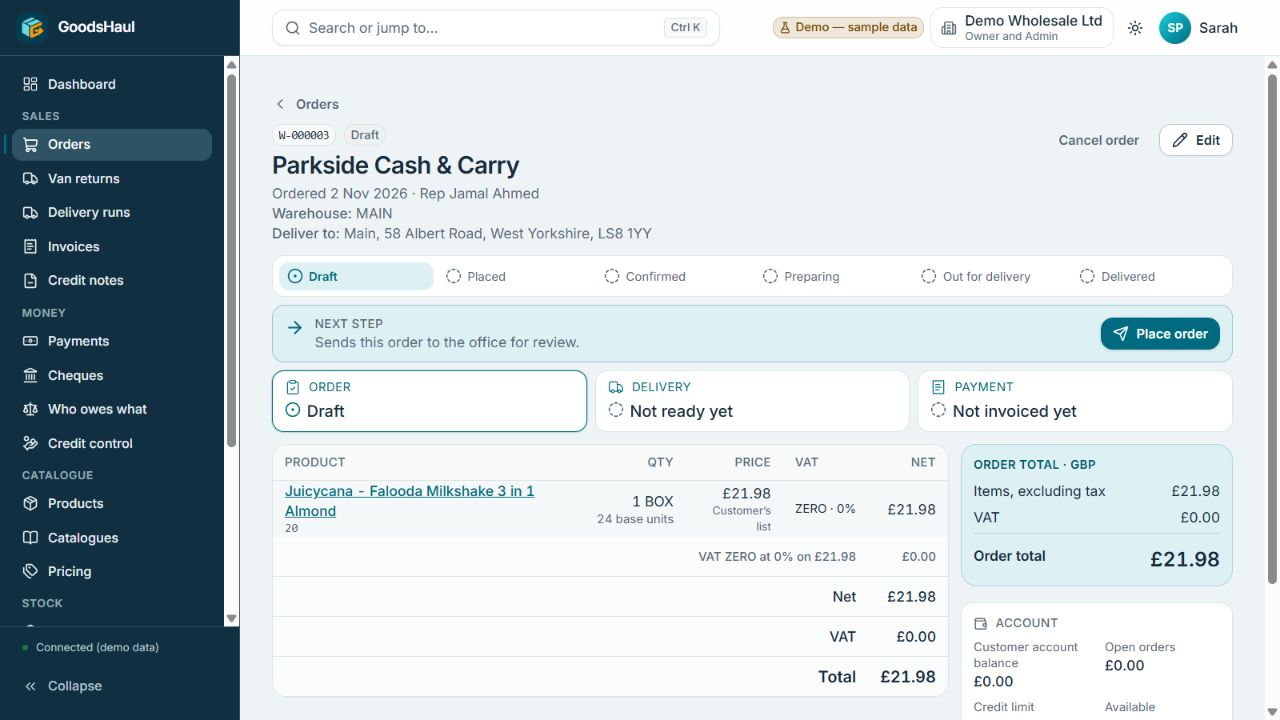
These are separate demo examples, not one continuous transaction. Names and figures are test data.
See your workflow in a guided demo →AI FOR THE EVERYDAY WORK
AI should help with the work behind every order. Start with a product photo, explore a business question and check the details before acting.
See what needs attention.
02Start with a pictureReview suggested product details.
03Ask the next questionUnderstand the numbers.
04Produce a reportKeep and share the breakdown.
A CLEAR START TO YOUR DAY
Orders to prepare. Deliveries to send. Payments to follow up. Stock that needs attention.
Bring the next steps together so your team can get on with the work.
Example daily overview · sample dataTurn a product photo into a draft for review. Your team checks the suggested product details, pack size and tax before saving.

Example workflow: a product photo becomes a draft for your review.
ASK. UNDERSTAND. ACT.
Watch GoodsHaul turn a conversation into a report, one question at a time. The answers, supporting records and finished report stay together in the chat.
Hello. What would you like to know about your business today?
Automatic example conversation and report using sample data.
THE BUSINESS BEHIND EVERY ORDER
From products and stock to the delivery run and customer account, bring the everyday work into one place.
Take and review orders, keep customer prices close and see the current stage and next action.
Keep your catalogue, pack sizes and stock information together. See which items need attention.
Give the warehouse a clear pick list and follow readiness before the goods leave.
Organise the run, follow each stop and record the delivery outcome.
Record money received and keep the remaining customer balance visible.
Keep order documents, invoices and credits connected to the customer account.
Bring customer details, order history and account information into the same working view.
Understand the numbers, inspect the detail and produce reports you can keep and share.
KNOW YOUR STOCK
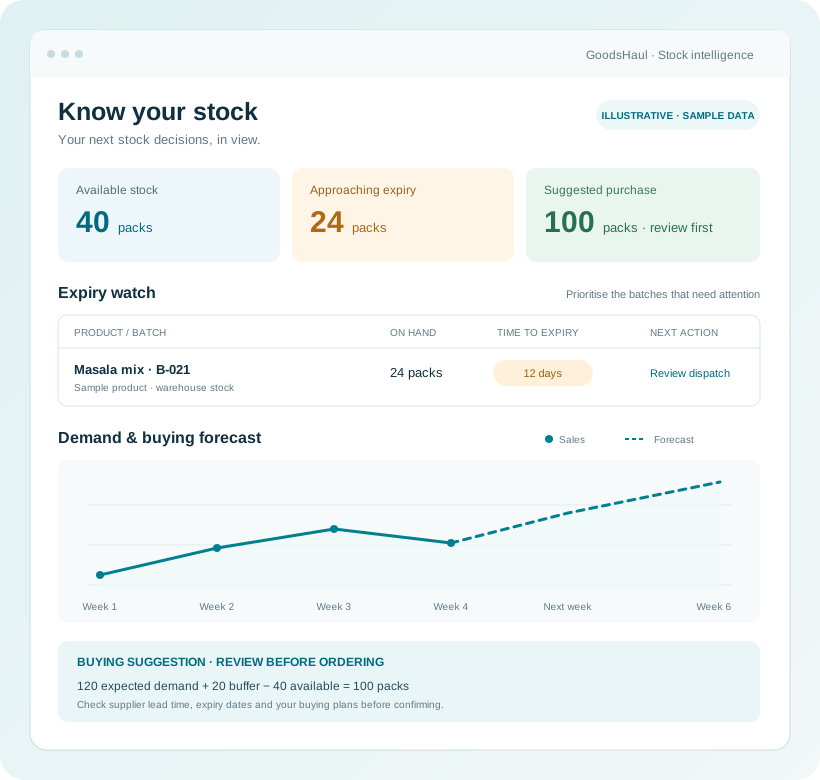
A clear view of your stock helps you move the right products today and plan the next purchase with confidence.
Know what is available, what is running low and which products need attention.
See batch dates and near-expiry reports alongside FIFO picking. Review expiry dates when choosing what to dispatch.
Use sales trends, expected demand and supplier lead times to forecast buying needs. Review the suggested quantity before placing a purchase.
EVERY ORDER, IN VIEW
The actual GoodsHaul order screen brings the journey, next action, status cards, products and totals into one view.
Draft, Placed, Confirmed, Preparing, Out for delivery and Delivered. See the current physical stage above the next action.
A compact action panel sits above the status cards. Products, totals and customer account information stay in their familiar positions.
Order, Delivery and Payment remain distinct. A delivered order can still need an invoice or have money outstanding.
This draft shows Place order. For eligible confirmed orders, Invoice only is available independently of delivery assignment, picking and handover.
FROM THE FIRST ORDER TO THE FINAL PAYMENT
One flow for your office, warehouse and delivery team.
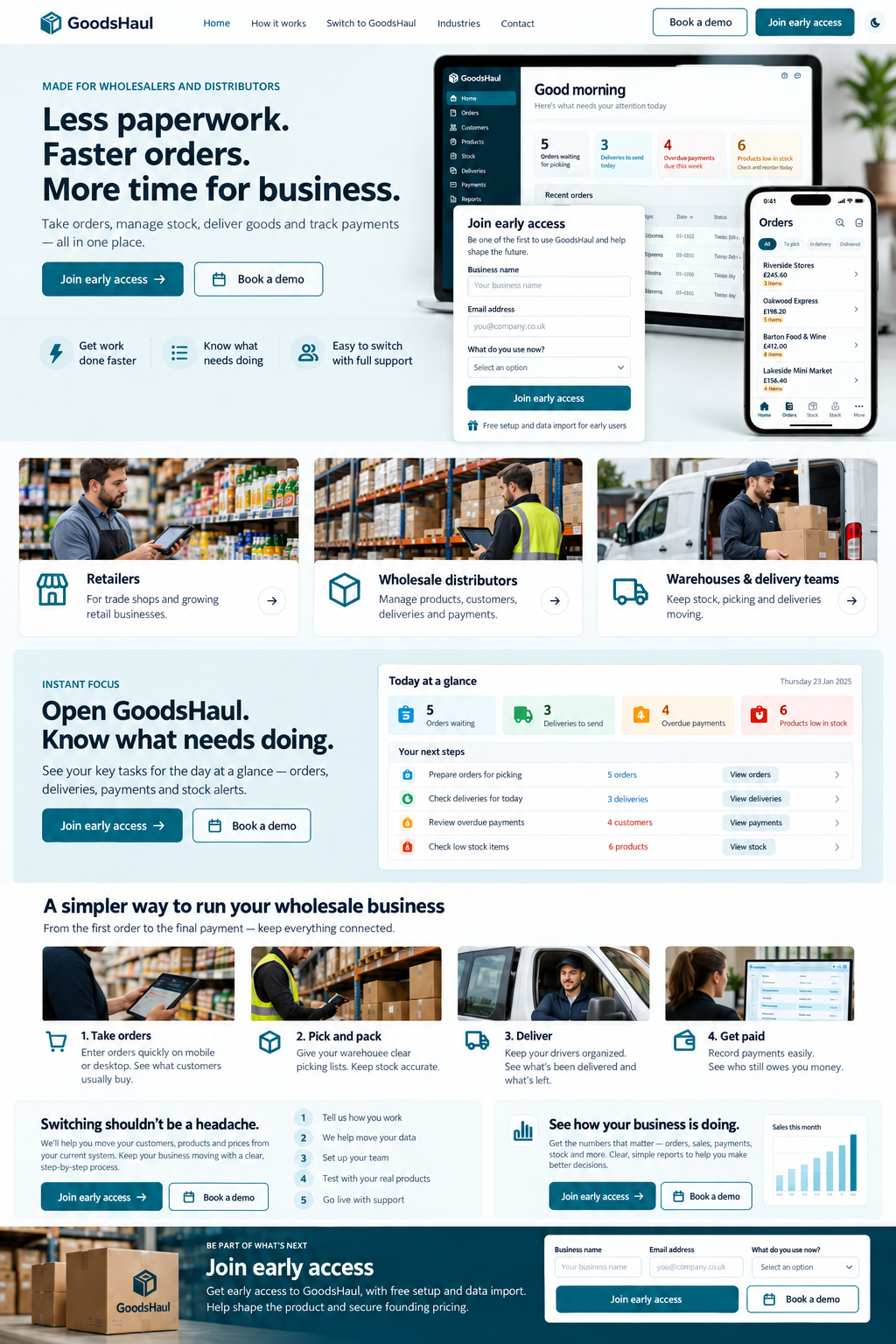
Build the order with the customer, items and prices together.
Give the warehouse a clear view of what needs to go out.
Follow the delivery run and see the status of each stop.
Record money received and review the customer statement.
Working scenes are illustrative. Explore actual app screens above.
BUILT AROUND WHOLESALE
For sole traders, wholesalers and distributors, with food businesses at the heart of the way we work.
Take and review customer orders. Keep office decisions close to the work.
Connect products, stock and picking with the orders leaving the warehouse.
Keep the run, the stops and the customer account in view.
YOUR WEBSITE. YOUR WAY OF SELLING.
GoodsHaul’s API support lets you connect a website or customer portal to the wholesale workflows behind it. Bring your own brand, shopping experience and customer journey.
Illustrative custom storefront
Connect the experience your customers see with the workflows your team runs.
CLIENT CASE STUDIES
From a growing food business to warehouse operations, GoodsHaul brings the details behind the day together.

For NuTreats, selling daals and masalas means keeping products and recipes connected with buying, selling and the money coming in.

La Taste Foods connects the work across its UK warehouses, sales representatives and delivery vans, from taking the order to following the payment.
A SUPPORTED SWITCH
Moving systems starts with understanding your business. We’ll review your data, agree the scope and test the workflow with your team before a pilot.
Talk through your setupShow us your order, warehouse and delivery process.
Agree what to import: customers, products and prices.
Work through a sample with the people who will use it.
Confirm scope, costs, access and support before starting.
START WITH A CONVERSATION
A guided demo gives us both a chance to check the fit.
GoodsHaul is for sole traders, wholesalers and distributors, with food businesses at the heart of its workflows. We’ll help you check the fit, whether you handle the day yourself or work with office, warehouse and delivery teams.
Yes. We offer a 14-day free trial. Request your trial and we’ll arrange access, agree the workflows and support included, and confirm when your 14 days begin. Sending the request does not start the trial automatically. Any paid service is agreed separately.
Start a product draft from a photo, review the suggested details and confirm them before saving. Ask the reporting assistant about orders, stock and customer balances, then inspect the supporting records. The examples on this website use sample data.
Use GoodsHaul in your browser, on Android or on iPhone. Office, warehouse and delivery workflows stay connected. We will help you choose the right setup for your team.
Keep supported mobile tasks moving when the signal drops, then sync when the device reconnects. In your demo, we will show the offline workflows relevant to your team and how they reconnect with the office.
We will review your customer, product and price data, agree the import scope and test a sample with you before moving the agreed data. Setup time depends on the condition of your data and the work involved.
We discuss your team, workflows and pilot scope, then agree the commercial details with you. Ask for a written quote covering the software, setup and support before deciding.
Tell us which accounting system you use and what you need to exchange. We will confirm supported connections or data exports before you commit; compatibility should be checked for your setup.
Yes. GoodsHaul offers API support so you can connect a custom buying and selling website or customer portal with your business workflows. We can discuss the experience you want and the integration scope during your demo.
Ospherio will contact you about your enquiry, understand the tasks you want to improve and arrange a walkthrough. A request does not reserve an appointment or commit you to a purchase. Contact contact@ospherio.com if you have a question.